
UA Guild відкрито для всіх
UA Guild — платформа, де спільнота робить ігри українськими, — виходить у реліз. Тепер долучитися може кожен: увійдіть через Discord або Google і перекладайте…
A community that makes games speak Ukrainian: every project's progress in the open, an editor with quality checks built in, and mods that update together with the game. Translations are CC0.
UA Guild — платформа, де спільнота робить ігри українськими, — виходить у реліз. Тепер долучитися може кожен: увійдіть через Discord або Google і перекладайте…


A manager imports the new files — new and changed strings show up in the editor.
Volunteers suggest versions, editors review and approve them.
The approved translation is built into the mod and shipped to every player.
Not a Google Sheets table but a tool made for translating games: from the first string to a finished mod — with placeholders, a glossary, AI and game updates.
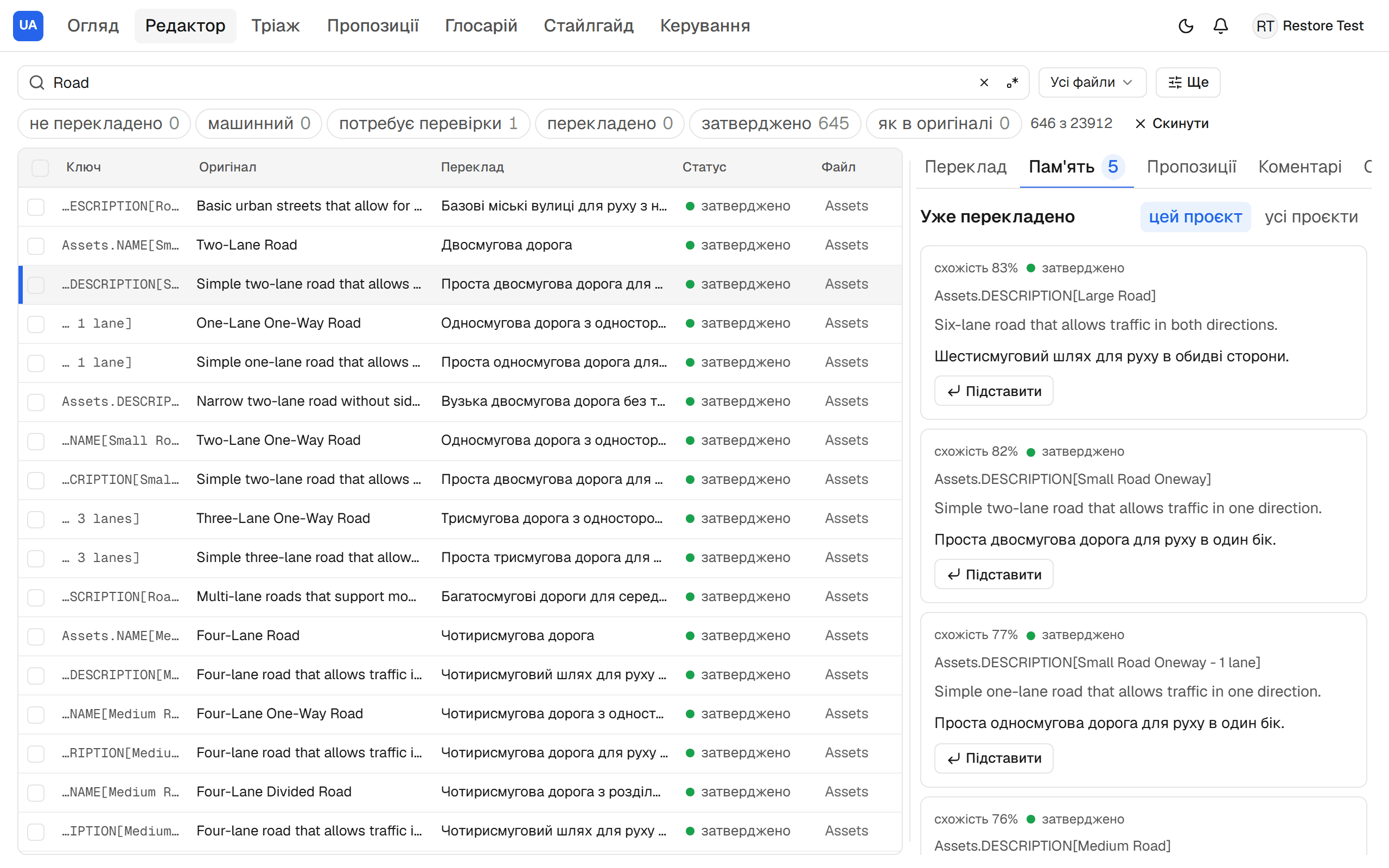
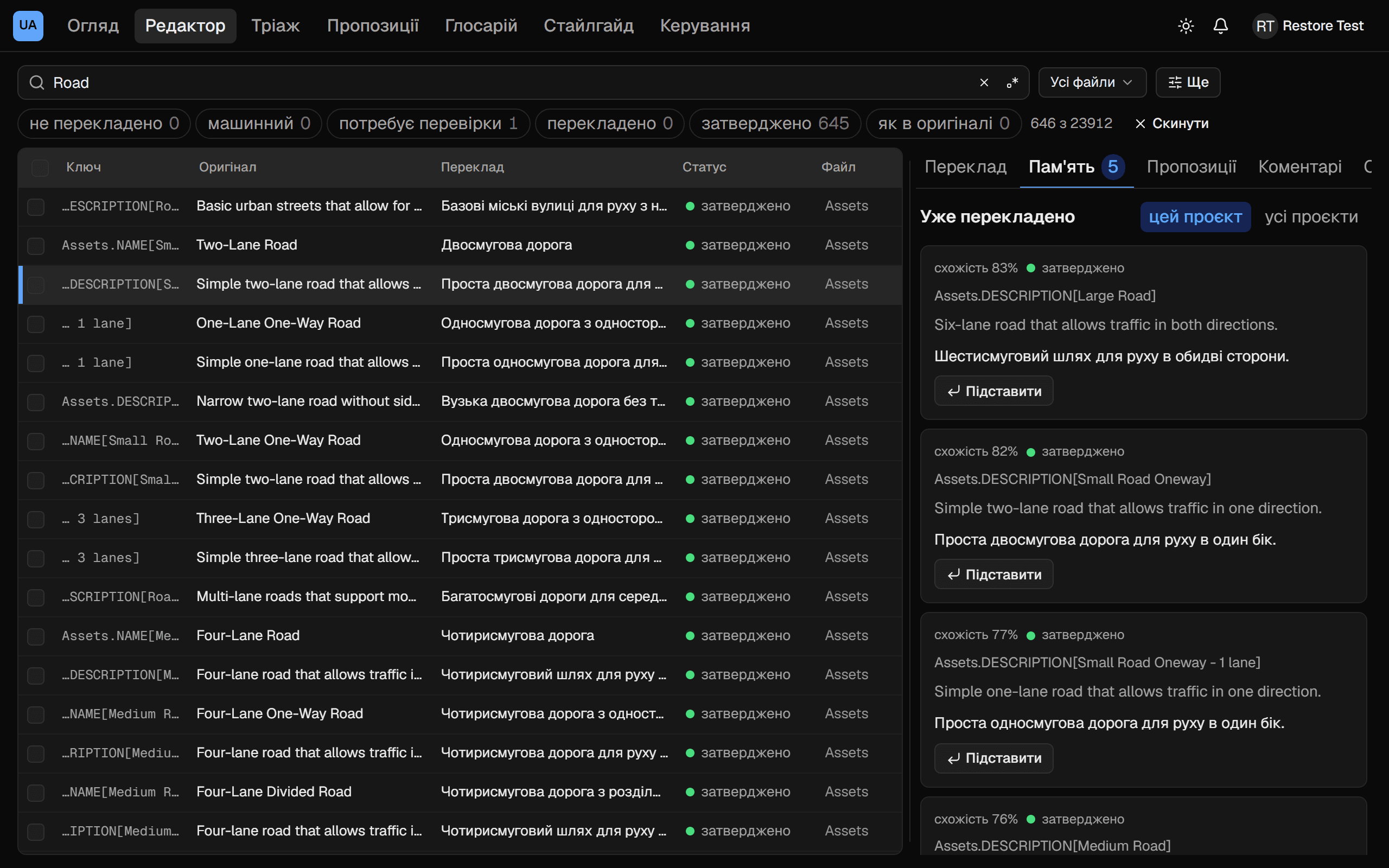
Every string comes with its source, context and game file. Translation memory shows how similar strings were translated earlier, and live checks catch a lost placeholder or a stray Russian letter before you save.
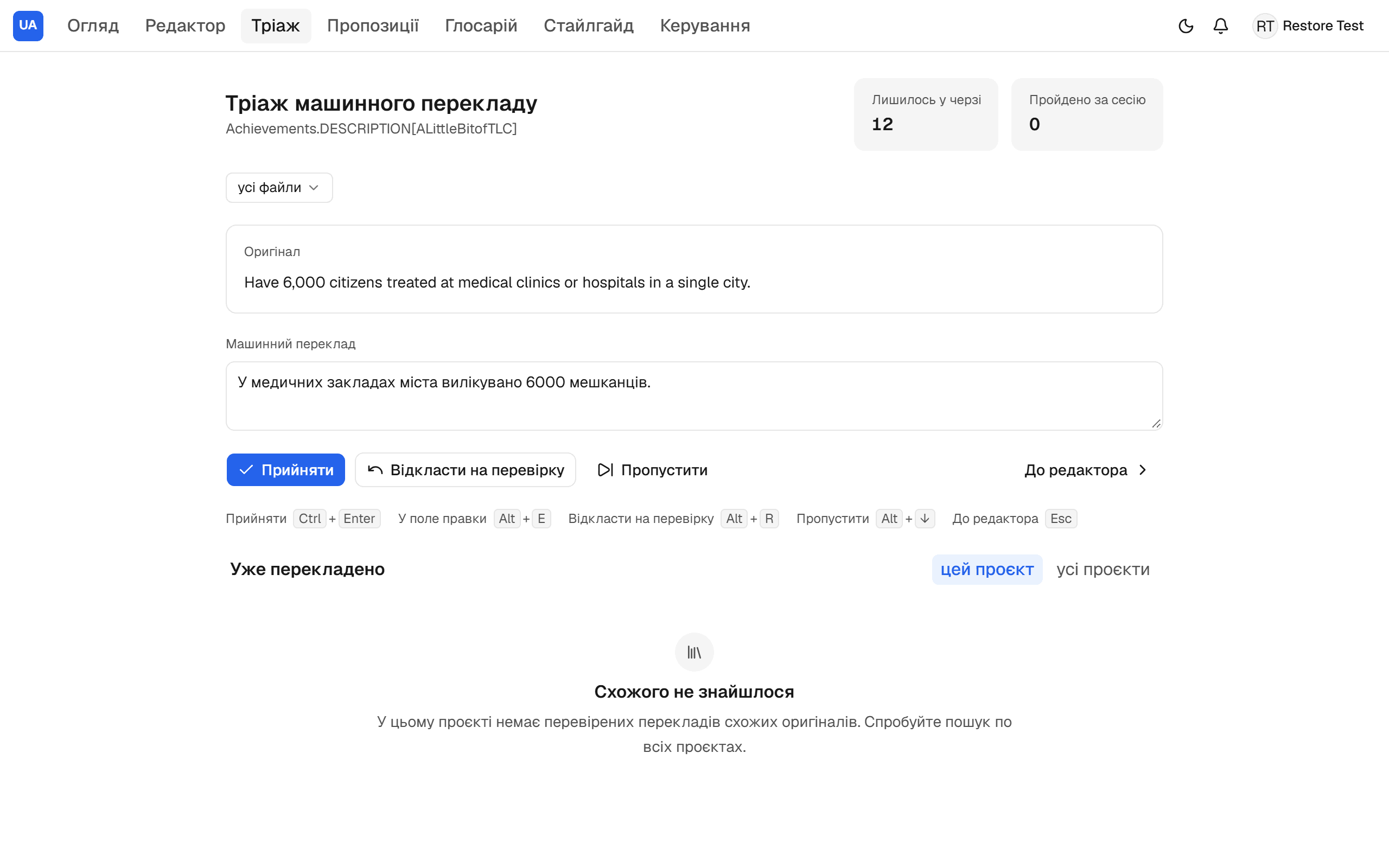
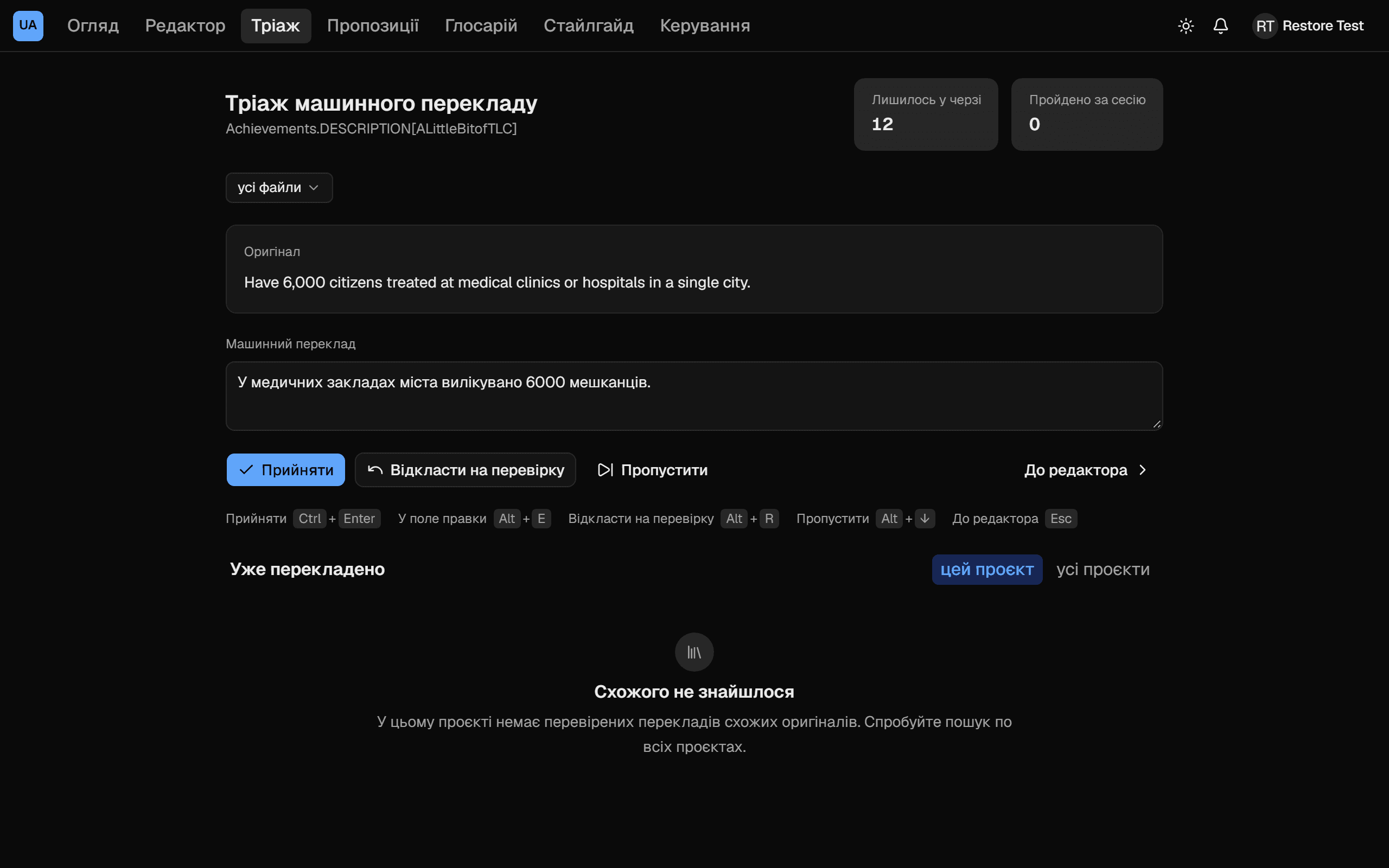
A manager runs Claude on their own key, with the project's rules, glossary and style guide, and a person walks the drafts one by one from the keyboard: accept, fix or send back for review. Nothing reaches the mod without a person.
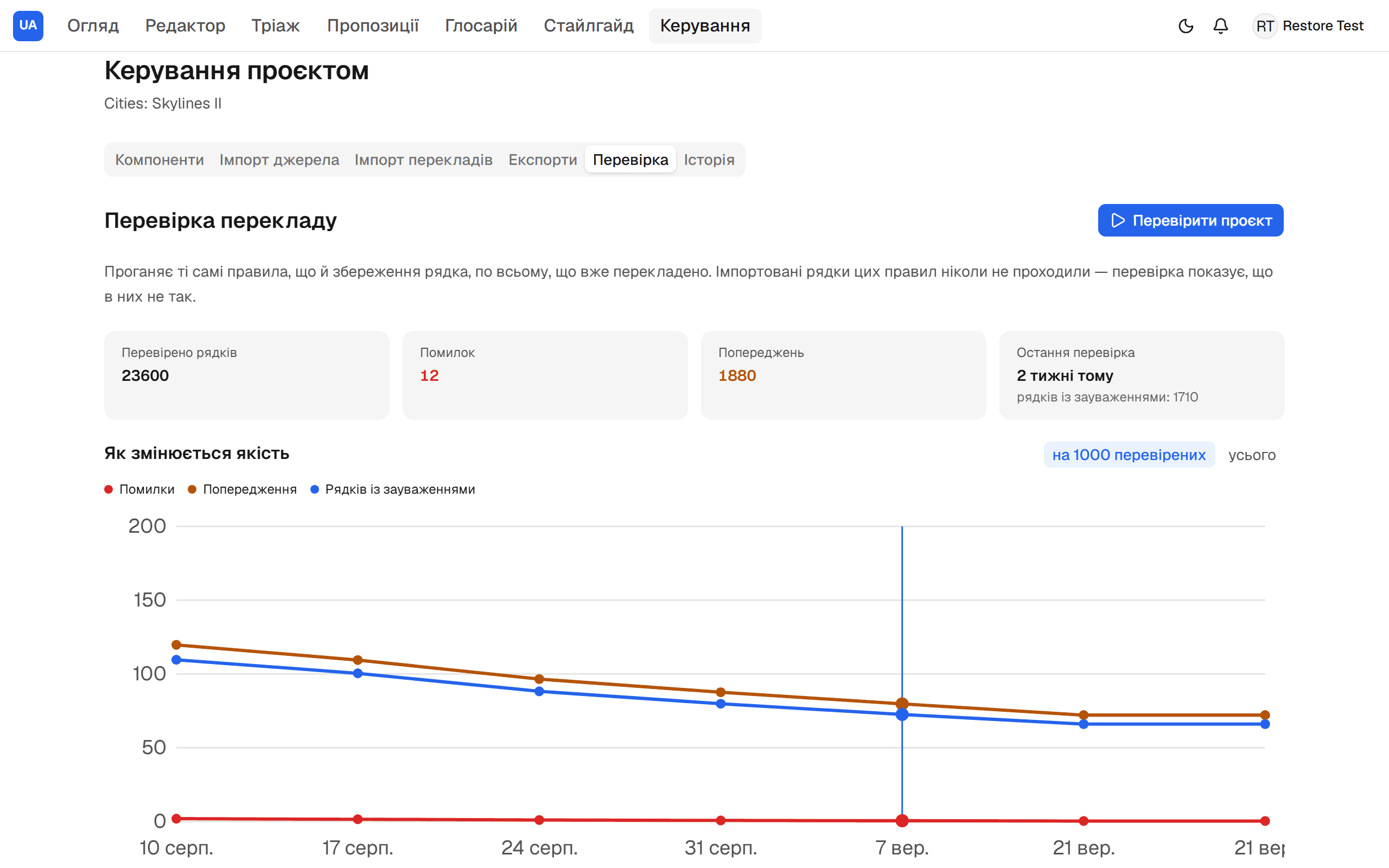
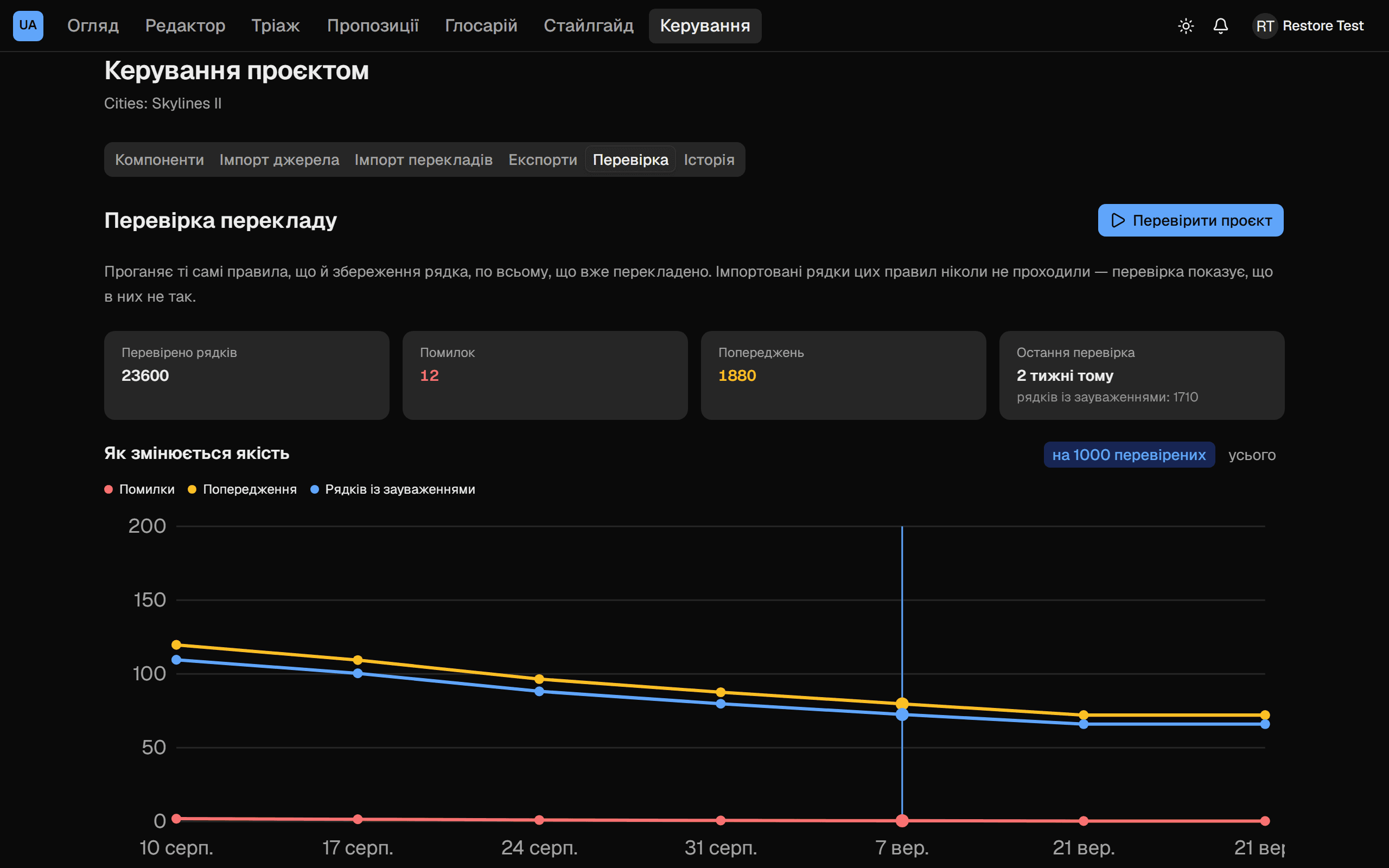
A batch check runs the whole project through the same rules a save uses and keeps every run. The chart shows whether things get better or worse; the breakdown by rule shows what broke this time.
A player presses "Build the mod" on the project's page and gets a zip with the latest translation — the platform builds it.
The manager finds the game in Steam, sees what an update changed, syncs the strings and builds the whole mod into a folder and a zip.
A new game version shows what was added and changed; changed strings go back for review, and nothing disappears.
A team runs its own games and invites people with a link; a private project is invisible to outsiders.
News and releases in the server's channel, direct messages about mentions and replies, the translation's progress by command.
The translation commits itself to the mod's repository, and scripts and Claude Code work with the strings through a token API.
Find your game, see how far the translation is, and install the mod. When the game updates, the mod follows.
See the projectsSign in with Discord or Google and propose translations — string by string in the editor, or in bulk from a CSV. Editors review them, and the contribution shows on your profile.
Sign in with Discord or GoogleAccept suggestions, keep the glossary, run quality checks and machine translation for new strings, and build the mod with one export or an automatic push to git.
How to become an editorTranslate, review other people's work, test the mod in the game or support the servers — every contribution brings the full localisation closer.